
TL;DR:
- Browser forensics involves extracting and analyzing browser artifacts like history, cookies, and cache to reconstruct user activity and produce court-admissible evidence. Cross-referencing multiple artefacts such as WAL files, favicons, and cache improves reliability, especially when faced with deleted data or anti-forensic tactics. Proper procedures, including chain-of-custody and ISO standards, ensure evidence integrity and defensibility in legal proceedings.
Browser forensics investigation is the process of extracting and analysing evidence from web browsers to reconstruct user activity, support incident response, and produce court-admissible digital evidence. The discipline sits at the intersection of cybersecurity and law, drawing on standards such as ISO/IEC 27037 to govern how digital evidence is identified, collected, and preserved. Every browser leaves a trail: history records, cookies, cached content, downloaded files, and form data. For cybersecurity professionals and legal experts, understanding how to read that trail accurately is the difference between a defensible conclusion and a challenged one.
What types of browser data are critical in forensics investigations?
Browser forensics analysis depends on a structured understanding of what browsers record and where that data lives. The primary artefact categories are:
- Browsing history: URLs visited, timestamps, and visit counts stored in SQLite databases.
- Cookies: Session tokens and login state data that confirm which accounts were active at specific times. Cookie analysis helps correlate account activity with browsing sessions, establishing user intent.
- Cache: Full page content, images, and scripts stored locally. Browser cache survives many clear-history operations, making it valuable evidence even when users believe they have removed traces.
- Downloads: File names, source URLs, and timestamps.
- Form data and saved passwords: Autofill entries that reveal account access patterns.
- Favicons database: An often-overlooked artefact. Favicons persist independently of standard history deletion and can contradict a user's claim of never visiting a particular site.
The underlying storage mechanism for most Chromium-based browsers is SQLite. Chrome, Edge, and Brave all write history updates to a Write-Ahead Log before checkpointing to the main database. WAL files contain recent browsing activity, including deleted fragments, that may not yet appear in the main SQLite database. Entries can remain in WAL files for days, making them a primary recovery target.
| Artefact | Forensic value | Persistence after deletion |
|---|---|---|
| Browsing history (SQLite) | URL, timestamp, visit count | Low without WAL recovery |
| WAL files | Deleted and recent entries | High, days after deletion |
| Cookies | Session state, account activity | Medium |
| Cache | Full page content | High, survives many clears |
| Favicons database | Visited site confirmation | High, independent of history |
Correlating multiple artefact types strengthens any forensic conclusion. A single deleted history entry proves little. The same entry confirmed by a WAL record, a favicon, and a cached page becomes a reliable finding.
Pro Tip: Never rely on a single artefact type. Cross-referencing history, WAL files, and the favicons database produces findings that withstand defence scrutiny in court.
How is browser forensics investigation conducted in practice?
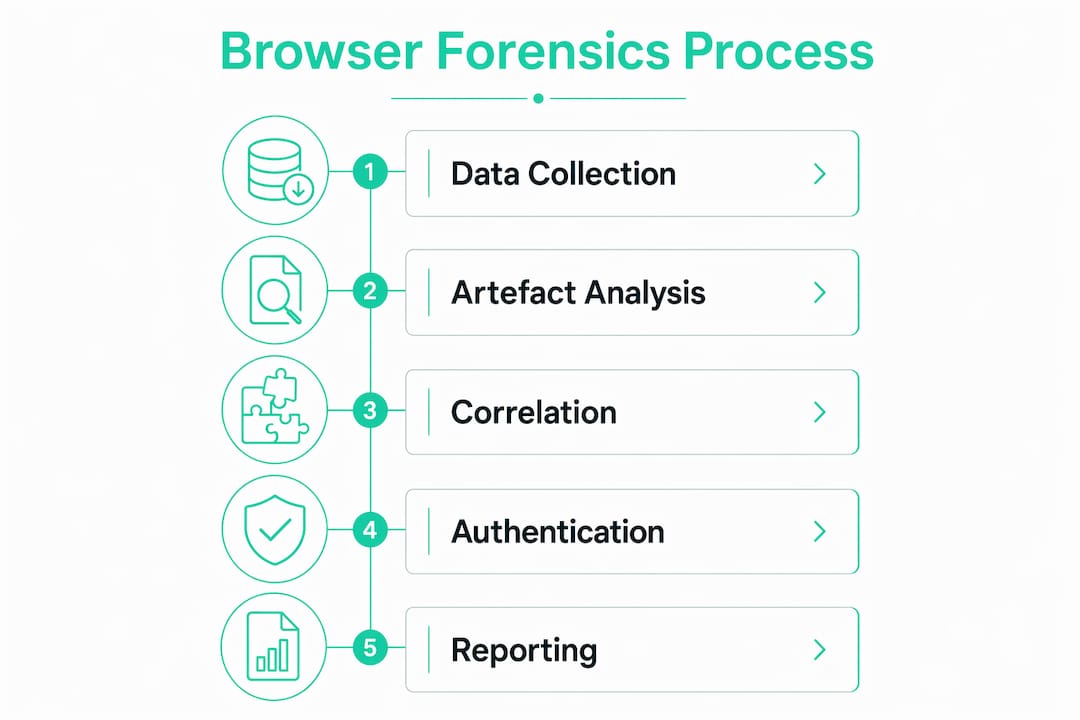
The practical workflow for a browser forensics investigation follows a consistent sequence, though the depth of analysis scales with case complexity.
- Identify the browser profile folder. Each browser stores its data in a dedicated profile directory. For Chrome on Windows, this is typically
%LOCALAPPDATA%\Google\Chrome\User Data\Default. Identifying the correct folder is the first step. - Extract the full profile folder, not individual files. Importing the entire profile folder into forensic tools yields better results than extracting isolated SQLite files. Dependent files such as LevelDB stores and WAL logs must be paired correctly to avoid data gaps.
- Run triage extraction. Tools such as KAPE (Kroll Artefact Parser and Extractor) allow rapid collection of browser artefacts at the outset of an incident. Browser-specific extractions at incident response outset save time and focus the investigation before full disk imaging is committed to.
- Parse SQLite databases and WAL files. Analysts open the History, Cookies, and Cache databases using SQLite-aware forensic tools. WAL files require separate parsing to surface deleted or uncommitted entries.
- Correlate with system-level logs. Browser data gains context when cross-referenced with Windows Master File Table (MFT) records, USN journals, and EVTX event logs. This correlation builds a timeline that is harder to challenge.
- Document every step with hash verification. SHA-256 hashes of all collected files confirm that evidence has not been altered between collection and analysis.
Investigation timelines vary considerably. Single device analysis takes approximately 3 days, while more complex investigations involving multiple devices and cross-referencing system logs can take weeks. The use of triage tools such as KAPE compresses the early phase significantly.
For teams managing incident response triage workflows, browser artefact extraction should appear as a defined step in the first 24 hours of any breach response.
What are the challenges in authenticating browser forensic evidence?
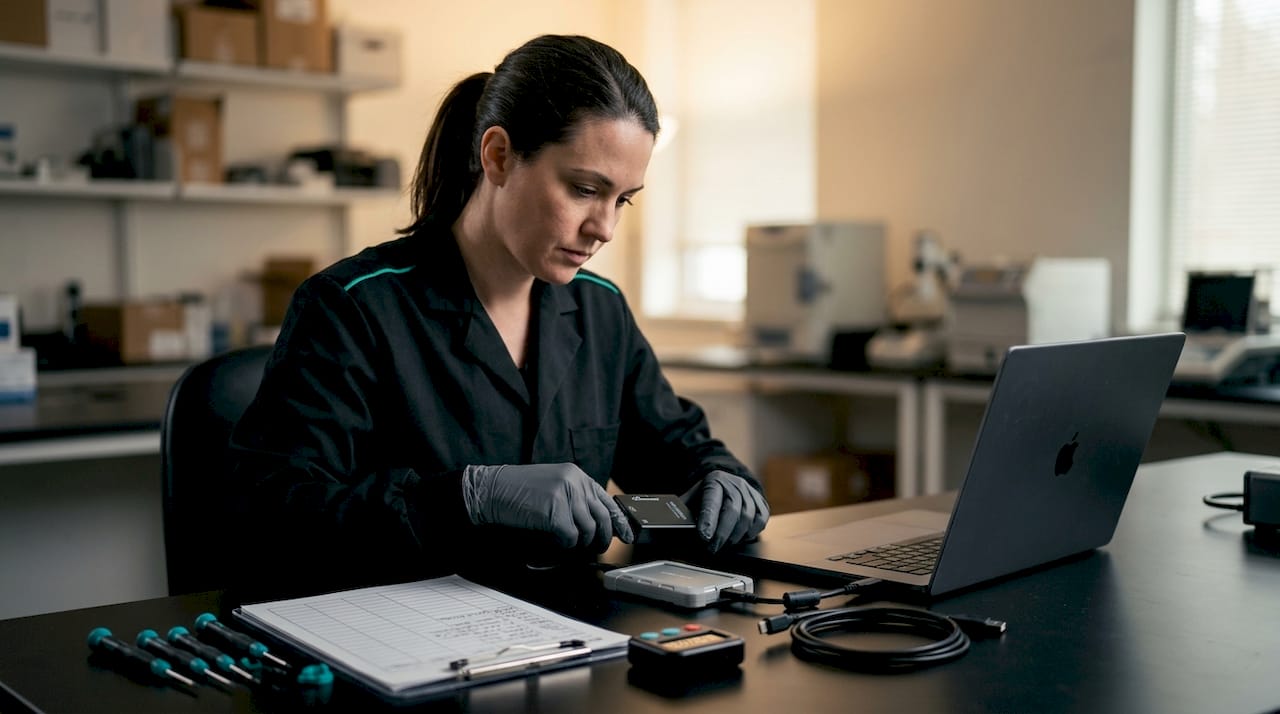
Authentication is where browser forensics investigations succeed or fail in legal proceedings. Courts prioritise the integrity of evidence over its mere existence. Forensic experts must address inconsistencies convincingly, because the defence will look for them.
Common challenges include:
- Missing WAL entries: If WAL files have been checkpointed or deleted, recovered history may appear incomplete. The defence can argue that gaps indicate manipulation rather than normal database behaviour.
- Timestamp anomalies: Browser timestamps are stored in browser-specific epoch formats. Conversion errors produce timestamps that appear inconsistent with system logs, creating grounds for challenge.
- Anti-forensic tactics: Threat actors and suspects use tools that overwrite SQLite free pages, clear WAL files, or use private browsing to limit persistent records. Private browsing avoids writing persistent records but does not erase all traces, such as DNS cache entries or network logs.
- Evidence of tampering: Altered visit counts or manually edited SQLite entries leave detectable anomalies in page sequence numbers and journal files.
"Courts prioritise authentication of evidence; forensic experts must address inconsistencies such as missing WAL entries or timestamp anomalies to prove evidence integrity. Defences often attempt to challenge browser history authenticity, requiring forensic clarity and detailed documentation at every stage of the investigation."
The response to these challenges is procedural rigour. Chain-of-custody documentation must record every person who accessed the evidence, every tool used, and every hash value verified. ISO/IEC 27037 provides the framework for this process, specifying how digital evidence should be identified, collected, acquired, and preserved to maintain admissibility. Forensic experts who follow this standard can defend their methodology under cross-examination with confidence.
For a broader view of digital forensic investigation methods and how authentication requirements apply across evidence types, the procedural principles remain consistent.
How does browser forensics support incident response and legal proceedings?
Browser forensics serves two distinct but related functions: it informs the technical response to a breach, and it produces evidence that can withstand legal scrutiny.
In incident response, browser data functions as an early triage tool. Analysts can determine whether a user visited a phishing domain, downloaded a malicious payload, or accessed an unauthorised system before committing to a full disk image. This approach saves hours of processing time and directs resources to the most relevant systems first.
The broader investigative value becomes clear when browser data is combined with system artefacts:
- MFT and USN journal records confirm when files were created, modified, or deleted in correlation with browser download timestamps.
- EVTX event logs show logon events and process execution that align with browsing sessions, confirming who was active on the machine.
- Network forensics data corroborates DNS queries and connection records that match browser history entries.
Correlating multiple data sources strengthens forensic conclusions and supports court admissibility. A browser history entry alone is circumstantial. The same entry supported by a network connection log, a file download record in the MFT, and a logon event in EVTX becomes a compelling chain of evidence.
For legal teams, the structured output of a browser forensics analysis provides a timeline of user intent. This is particularly relevant in insider threat cases, data exfiltration investigations, and matters involving disputed access to sensitive systems. Web activity investigation that follows ISO/IEC 27037 procedures produces findings that expert witnesses can present clearly and defend under cross-examination.
Teams conducting forensic analysis after a data breach benefit most when browser forensics is integrated from the first response hour, not added as an afterthought once system logs have been reviewed.
Key takeaways
Browser forensics investigation is most effective when artefact correlation, chain-of-custody documentation, and ISO/IEC 27037 compliance are applied from the first hour of an incident response.
| Point | Details |
|---|---|
| WAL files are critical recovery targets | WAL entries contain deleted browsing activity not yet merged into the main SQLite database. |
| Favicons outlast history deletion | The favicons database persists independently and can confirm site visits after standard history is cleared. |
| Authentication determines admissibility | Courts require forensic experts to explain timestamp anomalies and data gaps, not just present artefacts. |
| Triage extraction precedes full imaging | Browser-specific extraction in the first response hours focuses investigation and saves significant time. |
| Artefact correlation strengthens findings | Combining browser data with MFT, USN, and EVTX logs produces timelines that withstand legal challenge. |
What practitioners often get wrong about browser forensics
The most common mistake I see in browser forensics investigations is treating the SQLite history database as the primary evidence source and stopping there. That approach misses the WAL files, the favicons database, and the cache entirely. By the time a case reaches legal proceedings, those overlooked artefacts are often the ones that matter most.
Private browsing is another area where assumptions cause problems. Investigators sometimes conclude that incognito sessions leave no trace. They do not leave a persistent history record, but DNS cache entries, network logs, and in some cases temporary cache files remain. Dismissing a session because it was conducted in private mode is a procedural error that the opposing side will exploit.
The trend I watch closely in 2026 is the shift toward cloud-synced browser profiles. Chrome and Edge both sync history, passwords, and cookies to cloud accounts. This creates a secondary evidence source that sits outside the local machine entirely. Investigators who focus only on the local profile folder miss a significant portion of the artefact set. Addressing this requires coordination with cloud forensics procedures, which adds complexity but also adds evidential depth.
My firm view is that browser forensics should be treated as a first-class discipline within any DFIR programme, not a supplementary check. Continual training on evolving browser storage mechanisms and adherence to ISO/IEC 27037 are not optional for teams that expect their findings to hold up in court.
— Makkari
Makkarisecurity's approach to browser forensics in breach investigations
Makkarisecurity applies structured browser forensics analysis as a core component of every Digital Forensics and Incident Response engagement. From the first hour of triage, the team extracts and analyses browser artefacts alongside system logs, maintaining a verified chain of custody throughout.
For organisations facing a breach or preparing for legal proceedings, Makkarisecurity's breach counsel and forensic support service delivers court-admissible findings built on ISO/IEC 27037-compliant procedures. Every artefact is hash-verified, every step is documented, and the findings are prepared for expert witness presentation. Contact Makkarisecurity to discuss how browser forensics analysis can support your investigation or legal matter.
FAQ
What does browser forensics investigation involve?
Browser forensics investigation involves extracting and analysing artefacts from web browsers, including history records, cookies, cache, WAL files, and the favicons database, to reconstruct user activity and produce digital evidence.
Can deleted browser history be recovered?
Deleted browser history can often be recovered from Write-Ahead Log files, which retain recent and deleted entries before they are merged into the main SQLite database. The favicons database also persists independently of standard history deletion.
Does private browsing leave forensic traces?
Private browsing does not write to the persistent history database, but DNS cache entries, network logs, and temporary cache files may remain as recoverable traces after a session ends.
How is browser evidence authenticated for court?
Browser evidence is authenticated by maintaining a documented chain of custody, verifying SHA-256 hashes of all collected files, and following ISO/IEC 27037 procedures to address timestamp anomalies and data gaps under cross-examination.
How long does a browser forensics investigation take?
A single-device browser forensics investigation takes approximately 3 days. Complex cases involving multiple devices and correlation with system logs such as MFT and EVTX can extend to several weeks depending on artefact volume.